Monday, January 16, 2012

Memories Of Lyon

I thought I'd begin the new year by sharing a few images from Lyon.

I've upgraded to the iPhone 4S and have been blown away by the quality of the camera. So much so, that I'm currently keeping my workflow very simple: shooting with the native camera and just one or two apps other apps, followed by very simple adjustments. No heavy apping, just letting the images breathe.

In The City Of Light, Sometimes I Prefer The Shadows...


- Posted using BlogPress from my iPad


Wednesday, November 30, 2011

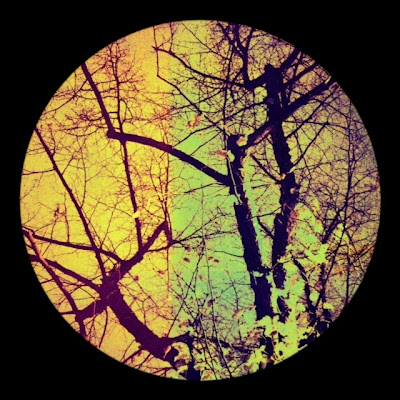
Will It Go Round In Circles?


My friend Jennifer Bracewell has just asked how to make circle-shaped images so I thought I'd put together a quick tutorial. Amazingly for me, we're going to use just two apps ( I know, please don't faint!)

First, you'll need a square-cropped photograph. I've recently become addicted to Instagram and this has led me to take a lot of square-format photographs with apps such as Hipstamatic, Format 126 and Lomora 2. For this tutorial, I'm going to be working with such a photograph, that has already been through the processing mill, so you'll need to imagine its rectangulariness!


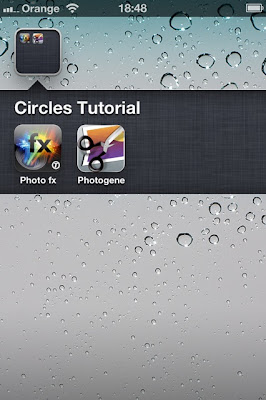
So, first we're going to import this ahem, imaginary rectangular photograph into a cropping app. There are lots that do this but my weapon of choice is still Photogene
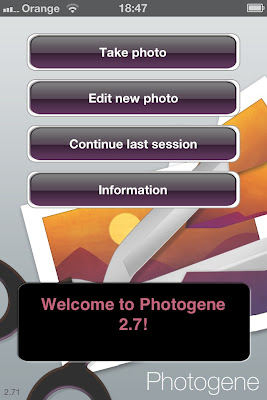

After importing our photograph, it will open in this screen...


Choose the scissor (crop) icon and select 1:1
Grab one if the little corner dots and pull out to enlarge the cropping area. Move the highlighted square around to determine the precise area of the crop.


When you're happy with the crop, select the tick button at the bottom left hand corner of the screen


In the DONE window, save your cropped photograph.

Next, Import the square format photo into Tiffen's PhotoFX


Select LENS FX from the menu at the bottom of the screen


Select VIGNETTE...


Here, I've selected BLACK CIRCLE from the Vignette menu...


Photo FX automatically presents a preview of the photo vignetted with a 50 percent blurred edge: pretty, but not quite the desired effect. Moving the SOFTNESS slider to the far left gives the the hard-edged look we're after...


Of course, because I like to play, I can't resist trying another option, so let's hit the UNDO button(bottom far left) to return to the VIGNETTE menu. Select WHITE CIRCLE...


I'm thinking frosty-edged Christmas cards here!
Here's how it looks with a harder edge:


There you go Jen, Have fun!
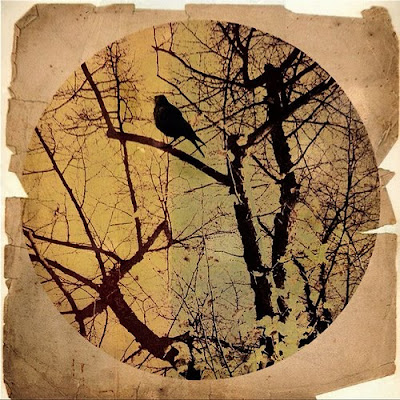
And here are two more versions of this image, recently posted to my Flickr stream...
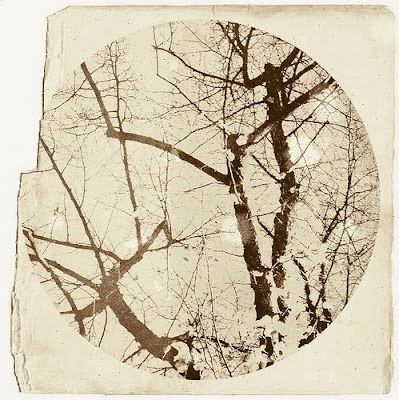

- Posted using BlogPress from my iPad

Monday, November 7, 2011

iPhoneography at the London Apple Store


The London iPhoneography Group have invited me to be a guest presenter at an event taking place this Saturday evening, at the Apple Store, Regent Street, London. We'll each be giving a short presentation of our work and talking about some of our creative processes. If you're in the area, pop in and say "hello"!

What: iPhoneography, with Alvaro Arrequi, Nettie Edwards, Matt Brock, Daniel Holland, Robson Santos, Andrew Chapman, Gordon Fraser and Kevin Thornhill

When: Saturday 12th November @ 3.00 PM

Where: The Apple Store, Regent Street, London

- Posted using BlogPress from my iPad

Friday, November 4, 2011

Saturday Night Diva (Aldgate East)


Shot iPhone 3GS, processed iPhone/iPad

I met this gorgeous young woman on the platform at Aldgate East tube station. She and her friend were on their way to a friend's party, and they were finishing applying their glittery make-up as they waited for their train. They looked so fabulous and were having so much fun, I had to ask if I could take a couple of photographs. There was hardly any time and I was in such a rush to get on my train, so sadly, I forgot to ask her name, but she did say I could post her photo on my blog.

- Posted using BlogPress from my iPad

Tuesday, October 11, 2011

Collages & Contests


RULES OF ENGAGEMENT 02
iPhone 3GS/iPad collage


RULES OF ENGAGEMENT 03
iPhone 3GS/iPad collage


RULES OF ENGAGEMENT 04
iPhone 3GS/iPad collage


Over the past five years, I've had many reasons for giving thought to how family relationships impact upon our Mental Health and I'm now creating a body of work that explores this subject. Each image contains at least one copy of a single self portrait and although some of the issues explored may be autobiographical, there are layers of meaning and each viewer will bring their personal narratives to the table. For instance: Rules Of Engagement 03 has provoked discussion not only about sibling rivalry, but also of self-harm. All feedback most welcome!

Last week, photographer David Rann invited me to visit Fotofilia: his fine gallery space and photographic studio in Birmingham (England) where I made a presentation to one of his groups: The Club. Considering David's loathing of the overuse of sepia in modern photography, he was a gracious host and he's even asked me to give a repeat performance and run a workshop at some time in the near future. Not everyone was instantly won over to the notion of Mobile Photography but I understand that quite a few of them (Including David) have since been spending lots of pocket money in the App Store, so I'm really looking forward to seeing what they come up with.


Talented iPhoneographer Dan Berman is running an exciting new competition: The Mobile Photography Awards, and I'm thrilled to be head of the panel judging Digital Art and Collage. There are 15 categories and some great prizes that include an opportunity to be featured in terrestrial and online exhibitions. Almost two years ago, when I first began creating collages on my iPhone, I couldn't find anyone else who was making them, so eventually, I began a Flickr group in the hope that it would attract like-minded souls. I was the only member for several months and we're still a small group, but there are now many more artists creating stunning Collages and Montages with their Mobile Devices, so I'm sure that the judging process will be a tough one. The closing date for entries is 30th November 2011 and there are entry fees but I must stress that this is a not-for-profit venture: monies raised are to cover the costs of promoting and staging exhibitions. This is a wonderful initiative that Dan hopes will further raise the profile of Mobile Photography and Art, so do please check out the competition site.


http://mobilephotoawards.com/

- Posted using BlogPress from my iPad


Sunday, September 18, 2011

Strange Meeting


STRANGE MEETING
iPhone/iPad collage


- Posted using BlogPress from my iPad

Tuesday, September 6, 2011

Cut and Paste: Rules of Engagement


RULES OF ENGAGEMENT

iPad collage

During my last French holiday, I managed to get to a couple of village brocantes where I could indulge myself in my obsession for ferreting through dusty boxes in search of abandoned photographs and paper ephemera. Over the next few weeks, I'll be digitalising my latest finds, along with paper treasures gifted to me by two generous paper swap partners: April in California, USA, and Beth in Kwazulu-natal, South Africa. So once more, my mind has turned to cutting and pasting. Working with "live media" informs the digital process, refreshing my memory about such things as how layered papers cast shadows upon each other or how tape and glue discolour over time. Digitally recreating the look of such work is always an absorbing challenge, especially on the iPhone and iPad where no single app can do all the work possible in Photoshop. If, like me, you use several apps to process an image, you might be interested in a new one named PhotoAppLink that's being developed to simplify the process. As yet, the number of apps that support it is limited, but let's hope that other developers will come on board when they see the benefit to users.


Exhibition News!


Light Impressions at Studio B, Alys Beach, Florida (June 10 - July 10, 2011) featured an impressive wall of 40 iPads displaying my work alongside that of 39 iPhoneographer friends from around the world. The Stylectrical exhibit at the MKG Hamburg (Museum of Arts and Crafts) (26th Aug. 2011 - 15th Jan. 2012) showcases the work of international mobile artists and includes a collaboration between myself and another friend: Finger Painting maestro Matthew Watkins.


ROBOT ROCKS

iPad mash with Matthew Watkins


Whilst on the subject of Finger Painting: if you live in the Birmingham (UK) area, do came and join me on Saturday 29th October at the Midland Centre For The Arts (MAC), Cannon Hill, Birmingham, where, as part of the Mac's BIG DRAW celebrations, I'll be Resident Artist for the day. There's a Life Drawing session with model between 11- 1 and I'll be in the foyer for the rest of the day, demonstrating drawing and painting apps and sharing tips with anyone who cares to drop by and say hello. All levels of experience will be welcome at the Life Drawing session. For those who have always fancied having a go, but are not sure where to begin, this will be a relaxed introduction to drawing and painting with mobile devices. Those of you who already finger paint will have an opportunity to spend a couple of hours drawing and sharing techniques with other mobile artists.

Further details of the Life Drawing Session and booking information can be found here

Please remember to bring a stylus. If you don't already have one, do consider investing: Here's a useful guide. The Pogo Sketch doesn't get a great review, but it's the one I use and recommend to beginners.

Hope to see you there!


AMBER EYES

iPad collage/finger painting